 Counting Master
Count objects in an image online, free
Pick what you are counting, add a photo, and it rings every item it counts. Check the few it is unsure about, and you have your number.
- Free, no sign-up
- No daily limit
- Your photo never leaves your device
Five trained counters, plus Anything
This free tool counts objects in an image online with five counting models, each trained on one kind of object, plus Anything, which counts other things from one item you tap. The trained counters are specialists, so pick the one that matches your photo before you add it.
| Counter | What it counts | How to take the photo |
|---|---|---|
| Pipes | Pipes, tubes and conduit, seen end-on | Straight at the ends, whole bundle in frame |
| Rebar | Rebar and steel bars in bundles, seen end-on | Straight at the cut ends, close enough that each one is clear |
| Logs | Log ends in piles and on trucks | Square to the pile, every log end in frame |
| Lumber | Boards and planks in a stack, seen end-on | At the board ends, not along the boards |
| Pills | Tablets and capsules on a tray | Straight down, one layer |
| Coins | Coins spread out on a table | Straight down, one layer, no stacks |
| Anything | Everything else: tap one item, it finds the rest | Every item in frame, then tap a clear one |
Pipes and rebar use the same round-ends model. They have their own pages because the photos, the jobs and the questions are different.
How to count items in a photo
- Pick what you are counting. Tap Pipes, Rebar, Logs, Lumber, Pills or Coins above the drop box, or Anything for everything else.
- Add a photo. Drop it on the box, choose it from your files or camera roll, or paste it. No photo handy? Try one of the samples. With Anything, then tap one item.
- Wait for the rings. A ring appears on every item it counted. The first count takes longer, while your browser downloads the counting model.
- Check the orange rings. Teal rings are counted. Orange rings are spots it is not sure about, such as an item cut off by the photo edge. Tap Check to step through them, or tap the photo to add a missed item or remove a wrong one.
- Tap Count is right. Save the image with the count on it if you need a record for a delivery or a stock-take.
Your photo never leaves your device
Counting runs in your browser, on your own phone or computer. The photo is never uploaded, not to us and not to anyone else. There is no account and no daily limit.
The page downloads the counting model and library from jsDelivr, and fonts from Google Fonts, which see your IP address like any web request. The site counts page views and a few events, such as a finished count, without cookies. It works in a current browser on an iPhone, an Android phone, a tablet or a computer.
How accurate is the object counter?
These numbers were measured with this web counter, not copied from the app. Count accuracy is 100% minus the average counting error, measured in the browser on held-out photos with 10 or more objects that the models never trained on, before any checking.
| Counter | Count accuracy |
|---|---|
| Pipes and rebar (round ends) | 91% |
| Logs | 94% |
| Lumber | 84% |
| Pills | 91% |
| Coins | 82% |
| Anything (by example) | 82% |
The models rarely count something that is not there. What they miss sits in dense, overlapping or cut-off parts of the photo, the spots the orange rings point to. A good photo matters most: straight on, everything in frame, even light.
What it does not count
- People, animals or cells. None of these counters is made for them.
- Stacks seen from the side, or piles shot at a steep angle. It counts what faces the camera.
- Value, size or volume. It counts coins, not money, and logs, not cubic metres.
Anything counts most other things by example, but crowded shelves and heaps are its weak spots. Its page says what to expect.
Guides: how to count pipes in a photo, how to count pills from a photo, and a free CountThings alternative.
For daily counts, the iPhone app learns your own items
The web counter is free, and it stays free. The Counting Master app for iPhone adds what a web page cannot do:
- Count from the camera, on site. It shows when the phone is level, warns about blur, glare and a smudged lens, and works with no signal.
- Teach it your own items. Count anything by tapping one example and save it as an item. After 20 checked counts, your iPhone trains a counter for exactly that item, and it counts by itself from then on.
- Keep a history. Look back at past counts on the phone, with their photos if you keep History on.
iPhone, iOS 17 or later. The first three counts are free. Pro is $4.99 a month or $29.99 a year, with a 7-day free trial, and includes trained items counting on their own.
 Pipes
Pipes Rebar
Rebar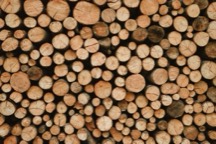 Logs
Logs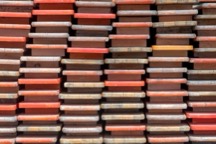 Lumber
 Pills
Pills Coins
Coins Anything
Free web counter or the iPhone app?
Use the web counter whenever you like. The app is for the things you count every day: it learns them.
| Free web counter | iPhone app | |
|---|---|---|
| Count from one photo, with the Check step | Yes | Yes |
| Price | Free, no sign-up, no limit | 3 free counts, then Pro |
| Taking the photo | Choose one, or take it with your camera | Camera with live coaching: level, blur, glare |
| Trains a counter for your own items | No | Yes, on your iPhone, after 20 checked counts |
| Tunes its cutoff to your photos | No | Yes, for each item it learns |
| Works with no signal | Needs a connection to open | Yes |
| History of your counts | No | Yes |
| Photos uploaded | Never | Never |
Questions
Is the online object counter really free?
Yes. There is no sign-up, no daily limit and nothing to install. The iPhone app is paid after three free counts; the web counter stays free.
Is my photo uploaded?
No. Counting runs in your browser, on your own device, and the photo is never sent to us or anyone else.
What can it count?
Pipes, rebar, logs, lumber, pills and coins, each with its own trained model. For anything else, pick Anything and tap one item: it finds the rest.
How accurate is it?
Measured with this web counter: 91% on pipes and rebar, 94% on logs, 84% on lumber, 91% on pills, 82% on coins, and 82% counting anything by example. Count accuracy is 100% minus the average counting error, measured in the browser on held-out photos with 10 or more objects that the models never trained on, before any checking.
Does it work on Android or a computer?
Yes. It runs in any current browser, on a phone, a tablet or a computer. The Counting Master app is iPhone only for now.
Why do I have to pick a category first?
Each trained model is made for one kind of object and loses accuracy on others. Pick the one that matches your photo, or Anything for everything else.
What does the iPhone app do that the web counter doesn't?
Two things only the app does: it trains a counter for your own item on your iPhone after 20 checked counts, and it tunes that counter's cutoff to your photos so it counts the way you check. It also counts from the camera with live coaching, works with no signal and keeps a history. Counting a photo here stays free.
Only in the iPhone app
Want it to learn your own items? Get the iPhone app.
- Trains a counter for your own item, on your iPhoneCount something by example, save it, and check 20 counts. Your iPhone trains a counter for exactly that item and then counts it by itself. Nothing is uploaded.
- Tunes its cutoff to your photosAfter training, it tests itself on the counts you checked and keeps the setting that counts your items most accurately, so it counts the way you check.
It also counts straight from the camera with live coaching, works with no signal, and keeps a history of every count. Photos never leave your phone.